I spent a month building RAG for my coding agent. It was wrong.
Not wrong like "this could be better." Wrong like "this fundamentally misunderstands how reasoning over code works." I had chunked files, built embeddings, tuned retrieval, the whole pipeline. The agent could find relevant snippets. It still couldn't reason about the codebase.
I treated code like documents. That was the mistake.
The RAG Instinct Is Understandable
When you're building a coding agent for a large codebase, the first thing you hit is context limits. You can't fit 200 files into a single prompt. So the natural instinct is retrieval: embed the code, find the relevant chunks, inject them into context. That's what RAG is for.
The problem is that documents and code have completely different information structures.
A document is mostly self-contained. A paragraph about authentication flow can stand alone. Pull it out and it still means something. A function called validateToken does not stand alone. It calls decodeJWT, which imports from ../lib/crypto, which depends on environment config loaded in bootstrap.ts. The meaning lives in the relationships, not the text.
When you chunk code and embed it, you destroy exactly the thing that makes code reasoning possible.
What a Senior Engineer Actually Does
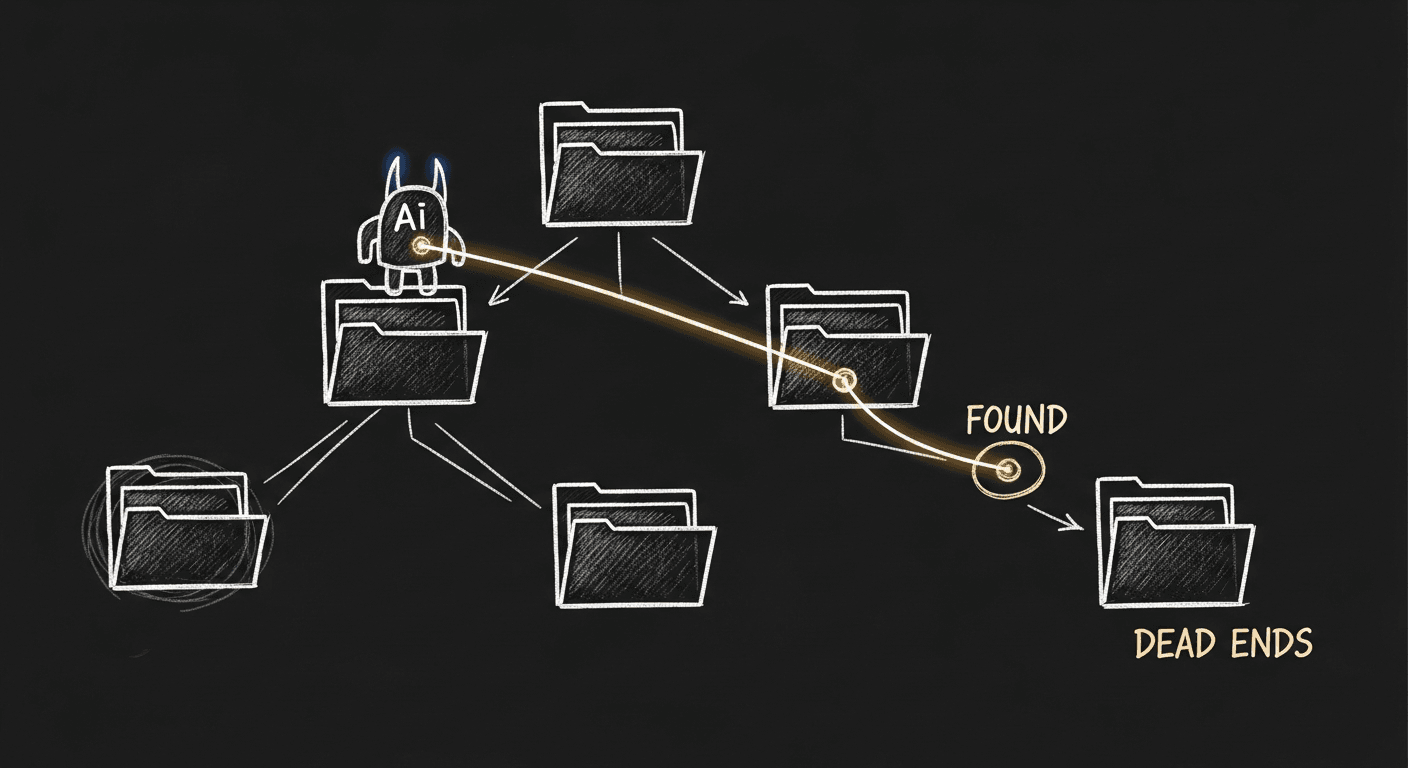
Think about how a skilled engineer digs into an unfamiliar codebase. They don't run a semantic search. They start somewhere: an entry point, a failing test, a component name. Then they follow the trail.
They open AuthProvider.tsx, scan the imports, open useSession.ts, trace where the session token gets set, open the API route that sets it, read the middleware that validates it. Twenty minutes in, they have a mental model of the whole auth system. Not from searching. From reading and following.
That's the behavior you want your agent to replicate. Not retrieval. Exploration.
The agent needs tools, not indexes.
What Actually Works: File Exploration Tools
Once I scrapped the RAG pipeline, I built a simple set of file exploration tools and gave them to the agent. The results were dramatically better. Not marginally.
I help teams ship AI in production — audits, consulting, custom agents, and eval systems. Start with an AI Audit (from $5k) for an honest read on what to build.
// Read an entire file — no chunking, full contextasyncfunctionreadFile(path:string):Promise<string>{return fs.readFile(path,'utf-8')}// List directory contents to understand structureasyncfunctionlistDirectory(path:string):Promise<string[]>{const entries =await fs.readdir(path,{ withFileTypes:true})return entries.map(e => e.isDirectory()?`${e.name}/`: e.name)}// Extract imports from a file to identify what to read nextasyncfunctiongetImports(path:string):Promise<string[]>{const content =awaitreadFile(path)const importRegex =/^import\s+.*?\s+from\s+['"](.+)['"]/gmconst requireRegex =/require\(['"](.+)['"]\)/gconst matches =[]let match
while((match = importRegex.exec(content))!==null) matches.push(match[1])while((match = requireRegex.exec(content))!==null) matches.push(match[1])return matches
}// Search by symbol or pattern — returns file paths and line numbers, not snippetsasyncfunctionsearchSymbol(pattern:string, dir:string):Promise<Array<{file:string, line:number, text:string}>>{// ripgrep under the hood — fast, returns location not contentconst results =awaitexecRg(pattern, dir)return results.map(parseRgOutput)}
Notice what's different from RAG:
readFile returns the whole file. Not a chunk. Not 500 tokens of surrounding context. The whole thing.
getImports gives the agent a map for where to go next.
searchSymbol finds where something is, not what it means. The agent reads the file to understand what it means.
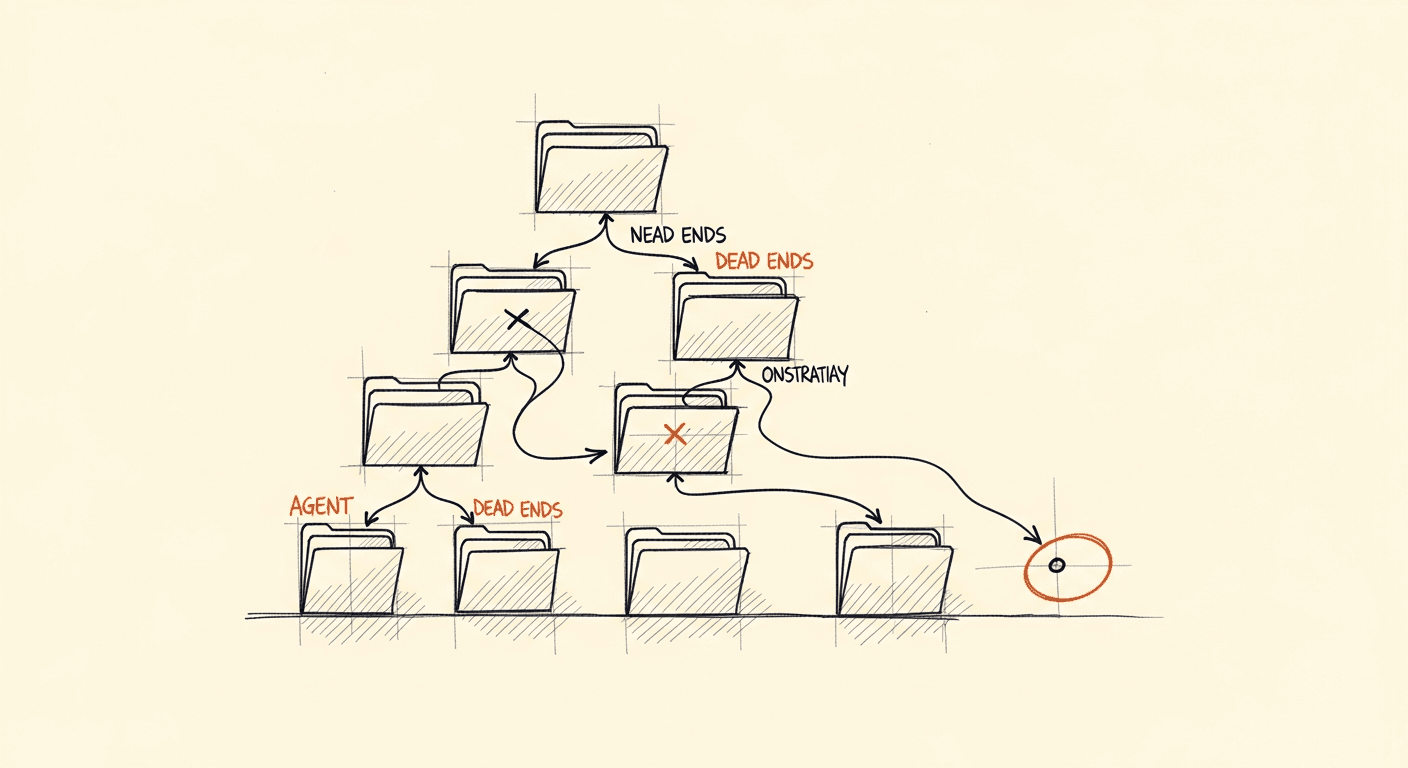
The agent's workflow becomes: start at an entry point, read the file, extract imports, read those files, search for relevant symbols when the trail is ambiguous, read those files. It builds context incrementally, the same way a human does.
The Import Chain Is the Reasoning Graph
Imports are not just dependencies. They're a reasoning graph.
When your agent reads services/billing/invoice.ts and sees it imports from lib/stripe, lib/db, and utils/currency, it knows the shape of what this service does before reading a single line of logic. The import chain is metadata. It tells you what the code touches.
You can give your agent an explicit "trace the import chain" capability:
Run this before any deep reasoning task and your agent has a structural map of the codebase: which files are central, which are utilities, how data flows between layers. That's worth more than any embedding.
Whole-File Context Is Not a Bug
The counterintuitive part: giving the agent whole files feels wasteful. You're burning tokens on boilerplate, comments, and code paths that don't matter for the current task. RAG felt smart because it was surgical, only the relevant bits.
But relevance in code is not local. Whether a function is relevant depends on what calls it and what it calls. You can't know that from the function alone. The boilerplate at the top of a file, imports, type definitions, exported interfaces, is load-bearing context. Strip it out and the agent loses structural grounding.
The real answer to token efficiency is not chunking. It's smart sequencing. Let the agent decide which files to read based on the import graph and the task. It will naturally skip irrelevant subsystems. Charge it with exploring first, reasoning second.
Modern long-context models make this more practical every quarter. A codebase that would've blown context limits in 2023 fits comfortably in a session today. The architectural reason to prefer RAG is shrinking fast.
What I Use Claude Code For
I've been using Claude Code heavily across multiple projects: healthcare AI, MetaCaddie, internal tooling. The pattern that works consistently is not pre-loading context. It's letting the agent explore.
When I give Claude Code a task that spans multiple files, the behavior I see it do naturally, and the behavior I've replicated in my own agents, is exactly this. It reads the entry point. It follows imports. It searches for symbols when it needs to locate something. It reads the full file when it finds what it's looking for.
That's not a coincidence. It maps to how the reasoning process works.
The Practical Upshot
If you're building a coding agent, here's what I'd tell you to do:
Ditch the embedding pipeline. Unless your codebase is genuinely static documentation, semantic similarity over code chunks is not the right retrieval primitive. You're adding complexity that degrades reasoning.
Give your agent five tools. Read file. List directory. Get imports. Search for symbols. Resolve a path. That's your foundation. Everything else is optimization.
Start from entry points, not search. When you kick off a task, give the agent a starting file, the route handler, the main component, the failing test, and let it walk from there. Exploration beats retrieval.
Trust whole-file context. Stop optimizing for minimum tokens at the retrieval layer. Optimize for coherent reasoning instead. A well-structured agent that reads five full files will outperform one that retrieves fifty fragments.
The instinct to build RAG is strong because it feels like the engineering-minded solution. Embeddings, vector databases, tuned retrieval: it's a system you can measure and optimize. But it's optimizing the wrong thing.
Code is a graph. Treat it like one.
I built the RAG pipeline. I got the evals working. I watched it fail on questions that any competent engineer could answer by spending ten minutes in the files. That was the signal.
The senior engineer doesn't search. They read, follow, and build a model. Build agents that do the same.